











Nothing leaves your device
Recognition and analysis both run locally. No upload, no account, no server that could see your games. It works on a plane.
How it works
Three taps between a position you’re stuck on and the move that wins it.
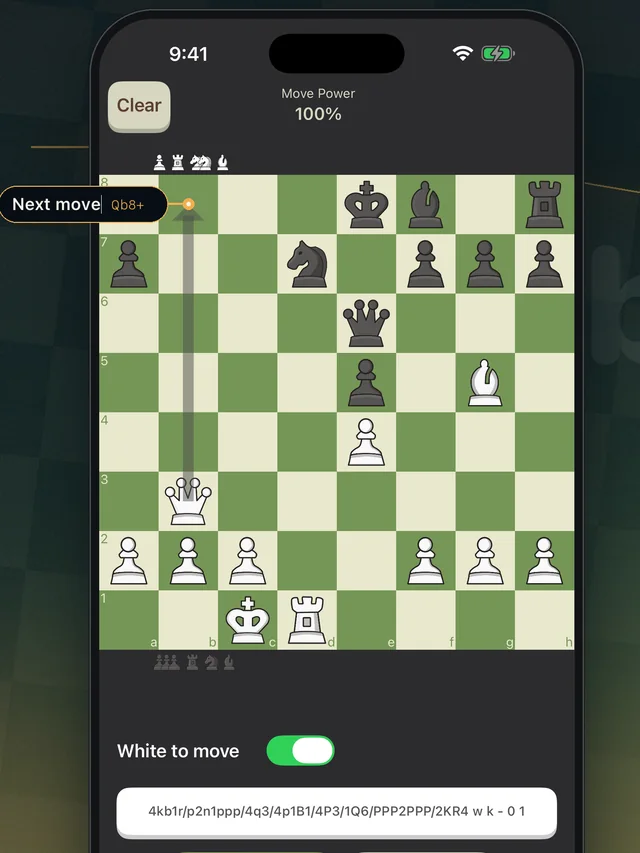
Take a screenshot in Chess.com or Lichess — or paste a FEN. The position is rebuilt piece by piece, on your phone.
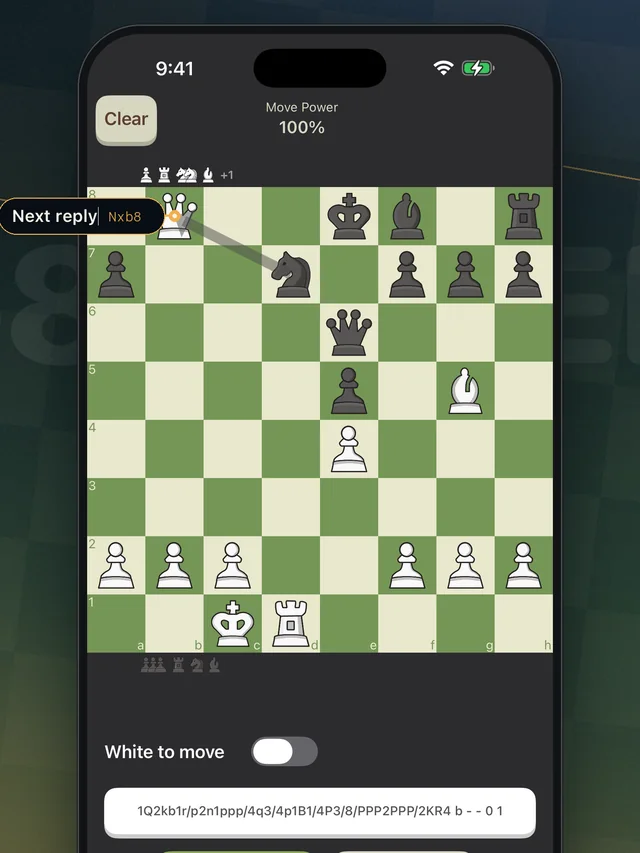
Play the move and the app shows what it forces. Move any piece yourself and the engine re-analyses on the spot.
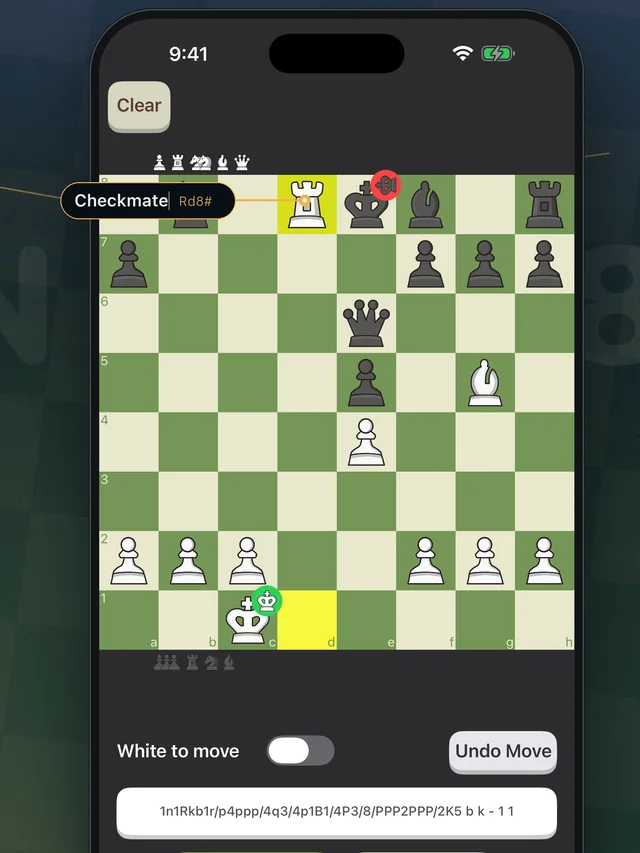
Make the move and the next one is waiting. Position by position, right through to checkmate.
See it work
A real position, imported from a real game, solved end to end. No edit, no speed-up.
Features
Recognition and analysis both run locally. No upload, no account, no server that could see your games. It works on a plane.
Play the move it gives you and the position is read again, so you are never left guessing what comes after.
Compare the top candidates side by side and understand why the engine prefers one over the other.
Move any piece and the engine re-analyses instantly. Test an idea without leaving the board.
Save the positions you want to come back to and share any of them as a link that opens straight in the app.
Six piece sets and a range of board palettes — from tournament green to walnut, bubblegum and icy sea.
Available in 23 languages, and free to start.
No. Board recognition and engine analysis both run on your phone. Once the app is installed you can use it fully offline — on a plane, on the underground, anywhere.
Never. There is no sign-up, no login and no profile. Nothing about your positions is uploaded or stored on a server.
It is built around Chess.com and Lichess and reads the common board themes and piece sets on both. Unusual styles can still defeat it — heavily textured or translucent boards, and 3D piece sets, are not supported. Diagrams from books and websites often work too, as long as the board is square-on and unobstructed.
Take the screenshot again with the whole board visible and nothing overlapping it — that fixes most misreads. If a particular board theme fails every time, send us the screenshot; that is what makes recognition better.
Yes, free to start — download it and scan a position without paying or entering anything. There is a paid tier for heavier use; the App Store and Google Play listings have the current details.
Analysing your own positions is how every strong player studies. Using it during a live rated game against another person breaks the rules of every chess site — that is on you, not the app.
23 of them, including English, Spanish, Portuguese, German, French, Italian, Dutch, Norwegian, Danish, Indonesian and more.